
Have you heard yet on Oracle Exascale? Or have you deployed it somewhere? With the Oracle multicloud solutions, you can also deploy Exascale in Azure!
I’m actually excited on Exascale technology but disappointed on the slow adaption I’m seeing with it. I think one of the things restricting folks to go into it has been the supportability, sure Oracle started to support 19c with Exascale but it strips lot of the storage features out if you use it with 19c.
So, I’m hoping we will start seeing folks using Exascale cluster and/or storage in the near future when more people upgrade to 26ai version of Oracle Database.
More on what is Exascale you can read from here: https://docs.oracle.com/en/engineered-systems/exadata-database-machine/exscl/what-is-oracle-exascale.html
In my opinion you can consider Exascale kinda like Exadata VM cluster in a shared Exadata infrastructure with some fancy new features especially on the storage side. Cloning databases is super fast with the Exascale technology!
Also, if you have Exadata Infrastructure, you can deploy clusters with Exascale storage.
If you ever deployed Exadata VM cluster in OCI or Azure, it’s almost fully the same process from pre-requisites side to deploy an Exascale cluster.
In this post I’ll focus on deployment from Azure side in Azure subscription where I already have accepted the private offer, linked the OCI tenancy etc. You can assume all the pre-req tasks as described in the documentation have been completed. https://docs.oracle.com/en-us/iaas/Content/database-at-azure/oaaonboard.htm
Deployment
I’ve talked about it before with other deployments but similar to others, you will need a delegated subnet in your Azure VNet to deploy Exascale. Delegated subnet deployment is described here:
https://docs.oracle.com/en-us/iaas/Content/database-at-azure/azucr-create-delegated-subnet.html
When you create the subnet, remember to choose delegated and then just choose the right type “Oracle.Database/networkAttachments”.
Now we’re ready to provision Exascale!
Each VM cluster will need Exascale Vault which is the new storage layer. I was looking the Azure Console to provision Vault first but seems I couldn’t do it. There are no options to create one beforehand, only to delete (which came handy).
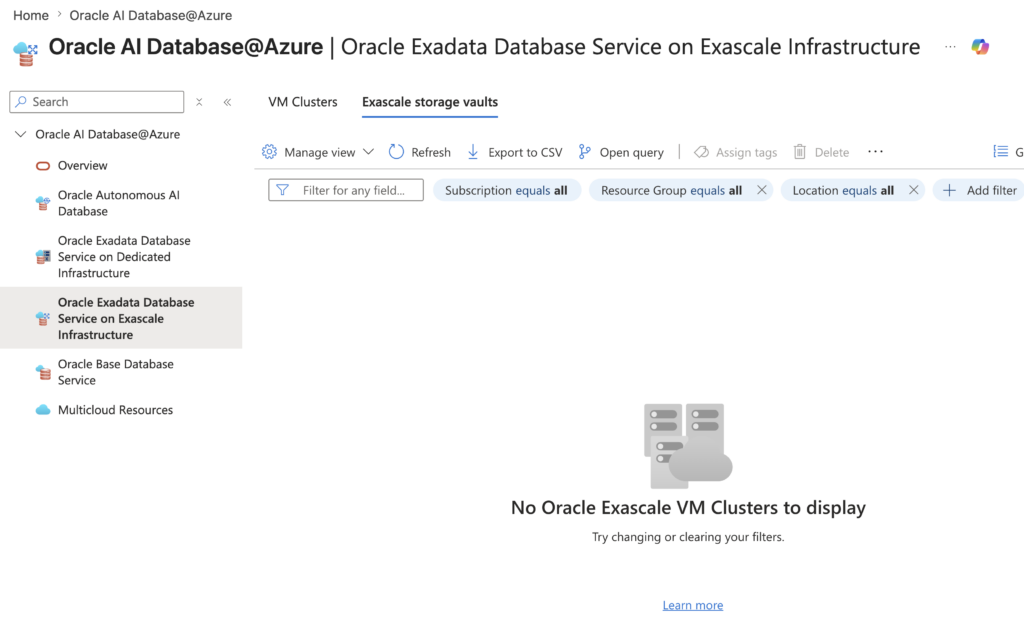
I went to provisioning Exascale VM cluster, and there I can either choose existing Vault or let it create new one. Seems like in Azure, this is the way! I could potentially create one on the OCI side and see if it finds it after that too I think?
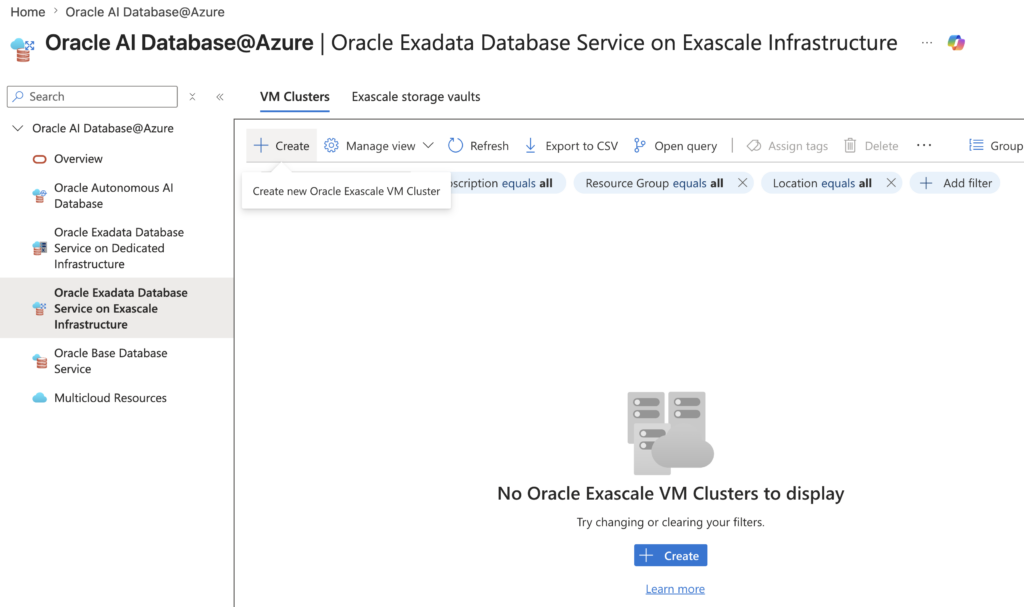
After clicking create – it’s pretty much typical Cluster information you have to fill out.
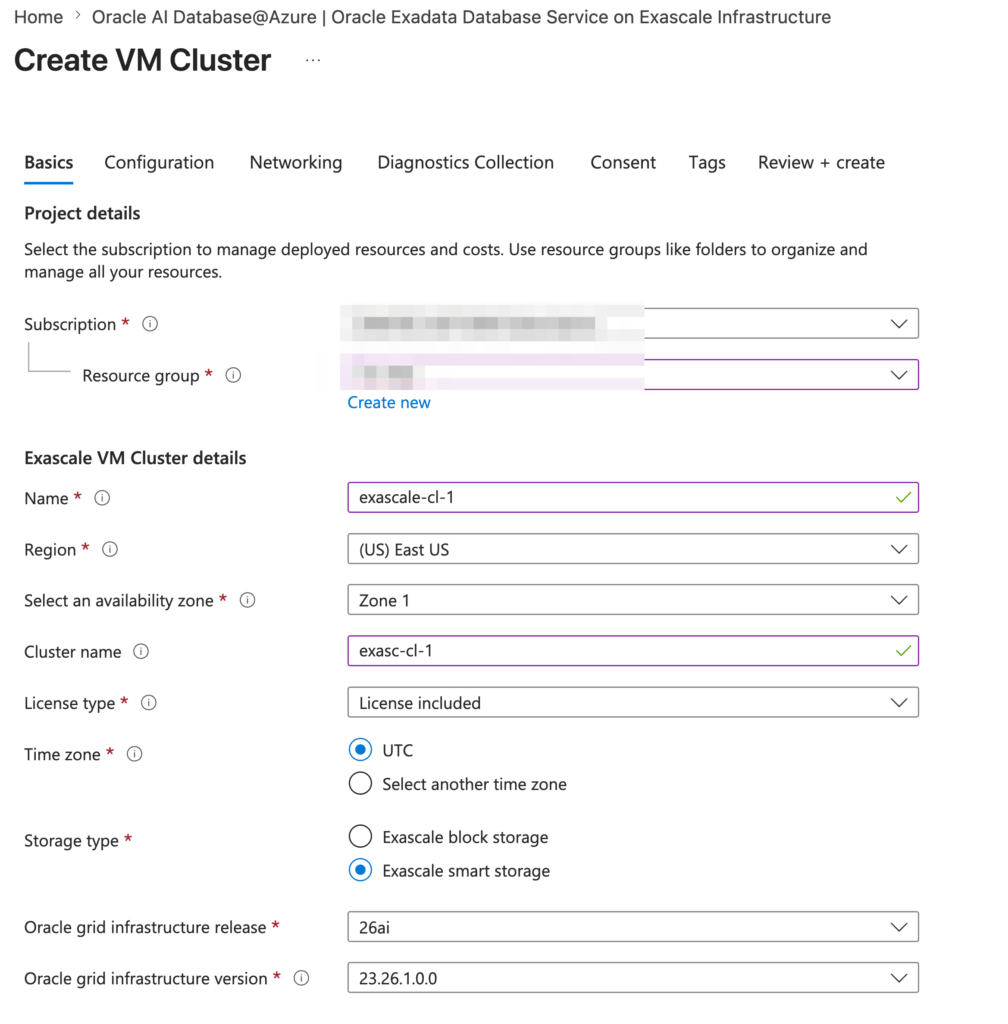
The only thing worth mentioning is if I choose Exascale block storage, I can use 19c as grid release and would be able to deploy 19c databases. That would also remove some of the smart storage features!
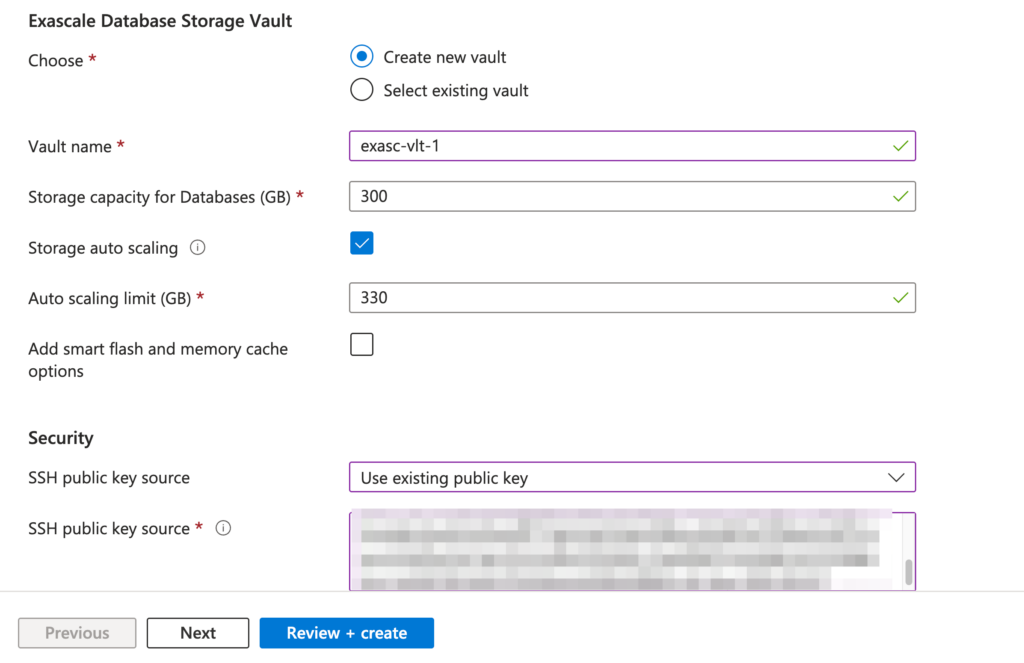
Here I’m defining the vault, like mentioned, I could select existing vault but will create new one now. Giving it 300GB of storage with auto scaling enabled. I could also add further allocation of smart flash and memory cache but not doing it now. Will need to investigate if we get any statistics from those if they are enabled, similar like we can query cells with Exadata for flashcache usage.
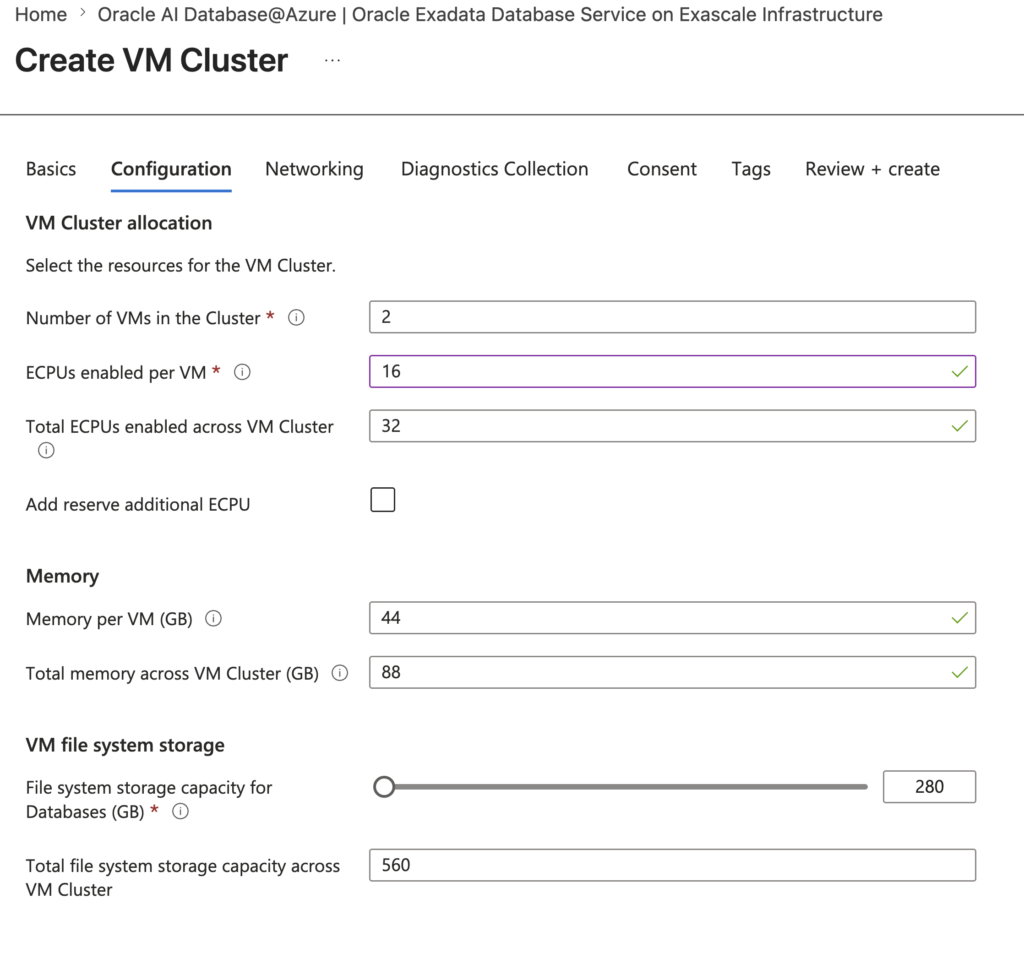
On the configuration tab I’ll define how many VMs in the cluster, ECPUs and other sizing information. Interestingly memory is tied to ECPUs!
After this I’ll configure networking.
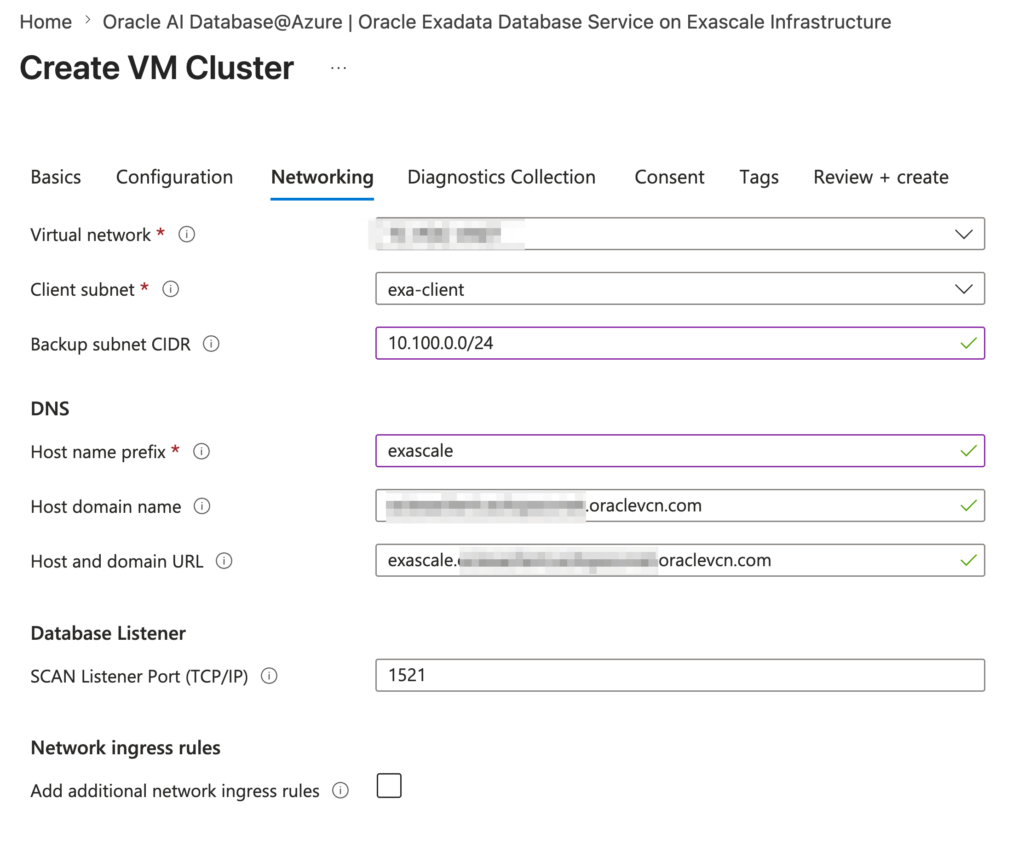
I did run into issues as it complained not to have backup subnet defined. I had one Exadata client/backup subnet already deployed so I think would then use the existing backup subnet. After leaving it empty it worked.
All the other tabs were pretty much click through for this test! After that I clicked create and after around an hour or so, I had the Exascale cluster deployed.
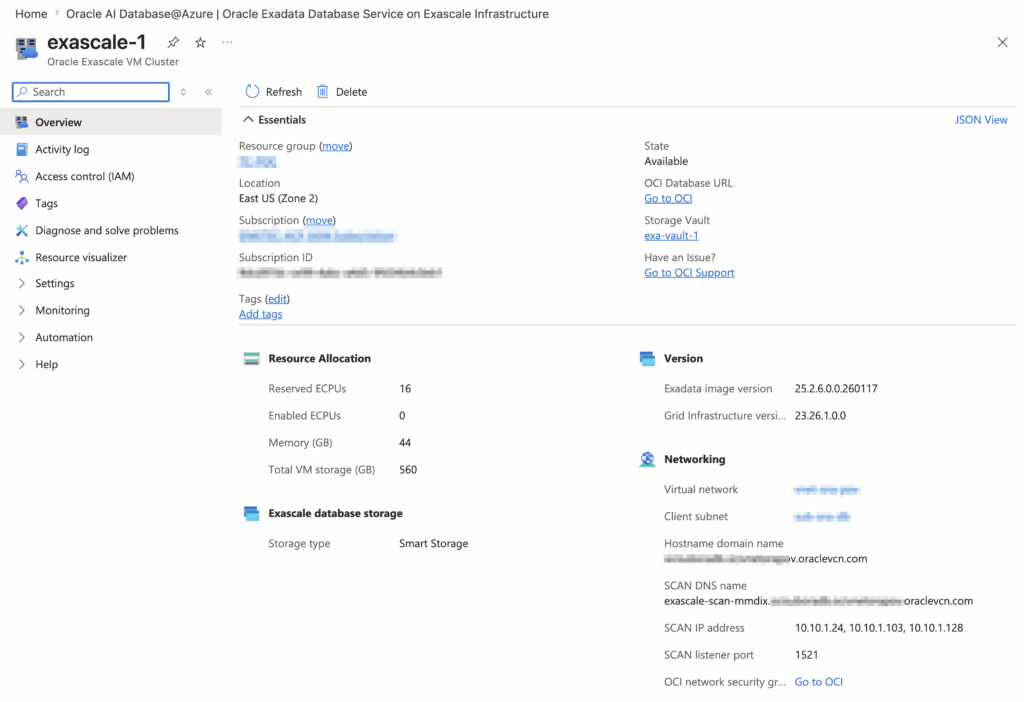
Similar to other Oracle DB@Azure solutions, I can view the details from here for the cluster but to modify anything. I would go to OCI side to manage it. After working now almost couple years with the Oracle multicloud solutions, I think that’s the best approach. Sure, it’ll create some overhead with the access and policies but you don’t get surprises with the UI.
Can you spot something odd on the above screenshot?
I did scale the ECPUs to 0 to shut the cluster down before taking the screenshot! Nodes are shutdown.
And if I look from the OCI side, I see familiar cluster info view as well.
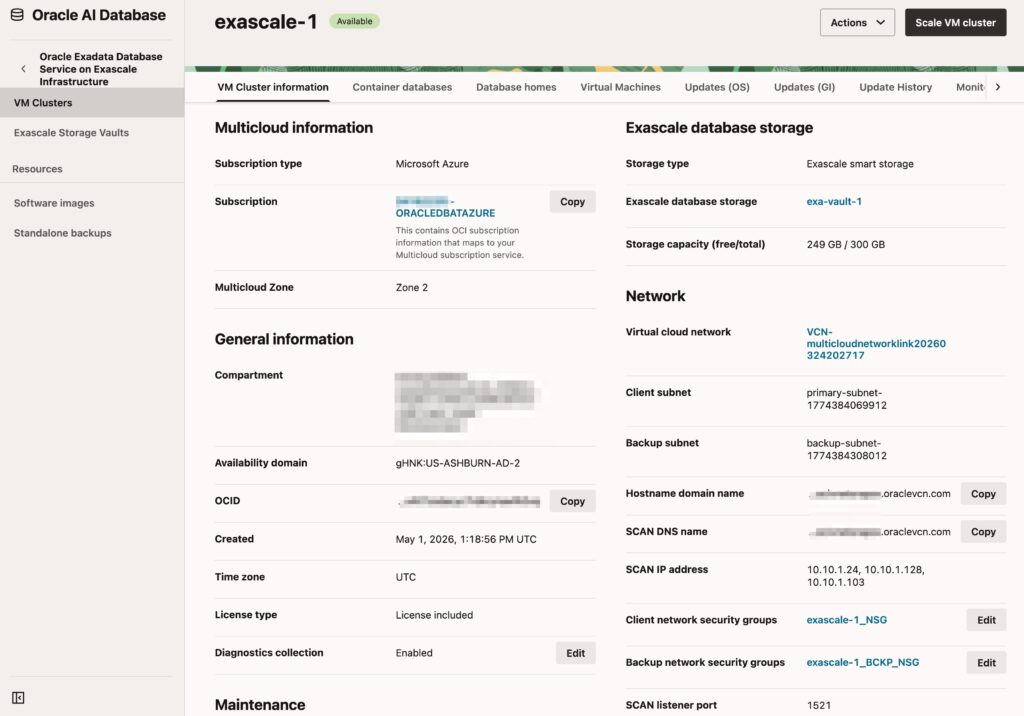
Anyone who’s worked with Exadata, this is almost same experience overall.
That’s it for deployment! Super easy, nothing really complicated even when the service comes from DB@Azure.
Summary
There’s nothing complicated in this post that one couldn’t figure out – make sure the pre-requisites are set and deploying Exascale cluster is super easy! Similar characteristics as deploying Exadata VM cluster.
This just shows the power of Oracle DB@Azure and where it is right now!
I do think Exascale itself will become more and more popular in the coming years, there are advantages from storage side for those large databases that we have to deal with. I reckon you google Exascale cloning and you’ll see some nice benchmarks around it.