
In the previous post I configured OCI MCP Server against my Oracle Autonomous AI Database. In this post, we’ll focus on connecting from Microsoft Foundry to our database using the MCP Server.
Microsoft Foundry is Microsoft’s AI platform to build and configure AI solutions/agents and provides tools and connectors to use your data within the platform.
The cool thing here is that this way we get our data accessible securely to our Foundry Agent. You can then combine your structured data from the database with many different unstructured data sources. I’ve been blown away how easy it has been to add different data sources in Foundry that your AI Agent can use, you can add any M365 as source, have agent validate things from your email, sharepoint etc. to support the decision making your agent does.
So, after part 1 we now need to configure OAuth connectivity on the Foundry side, then validate the access and perhaps configure Foundry side so you see how that works as well.
Setting up MCP Tool with OAuth in Foundry
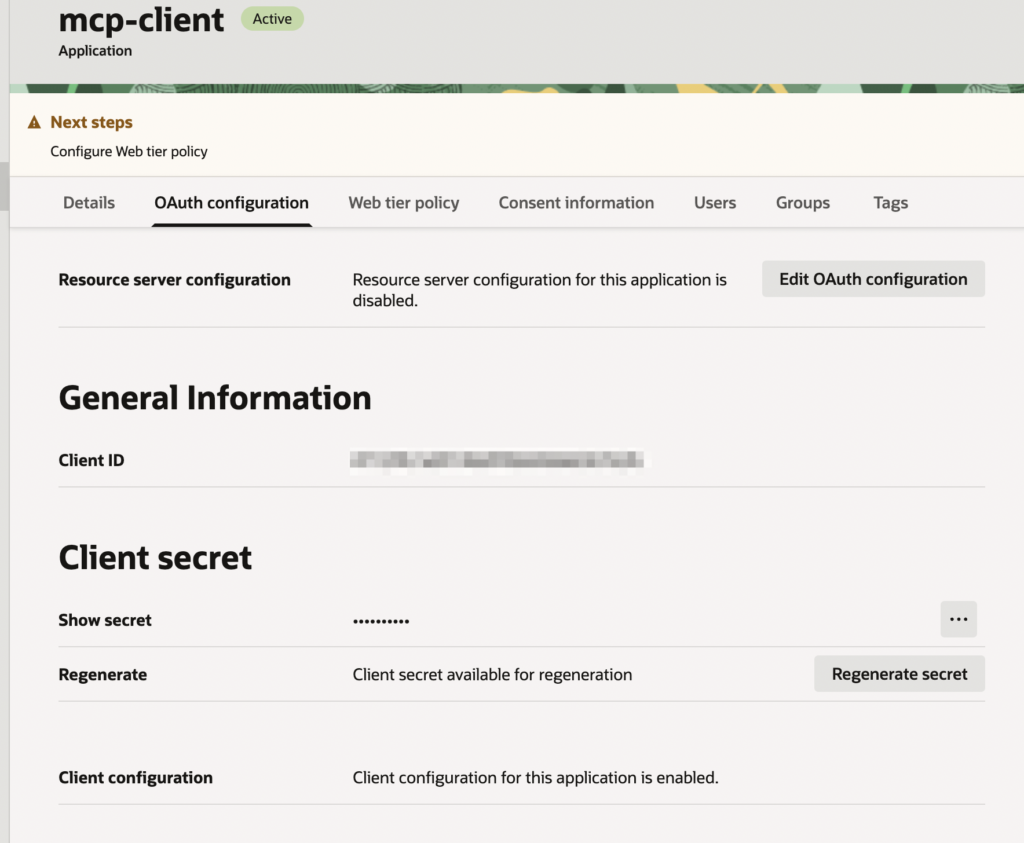
Now we’ll login back to OCI and fetch the OAuth details for the confidential application we created last time.
From IAM Domain I’ll navigate to my app I created in part 1 and get the OAuth client id and secret.
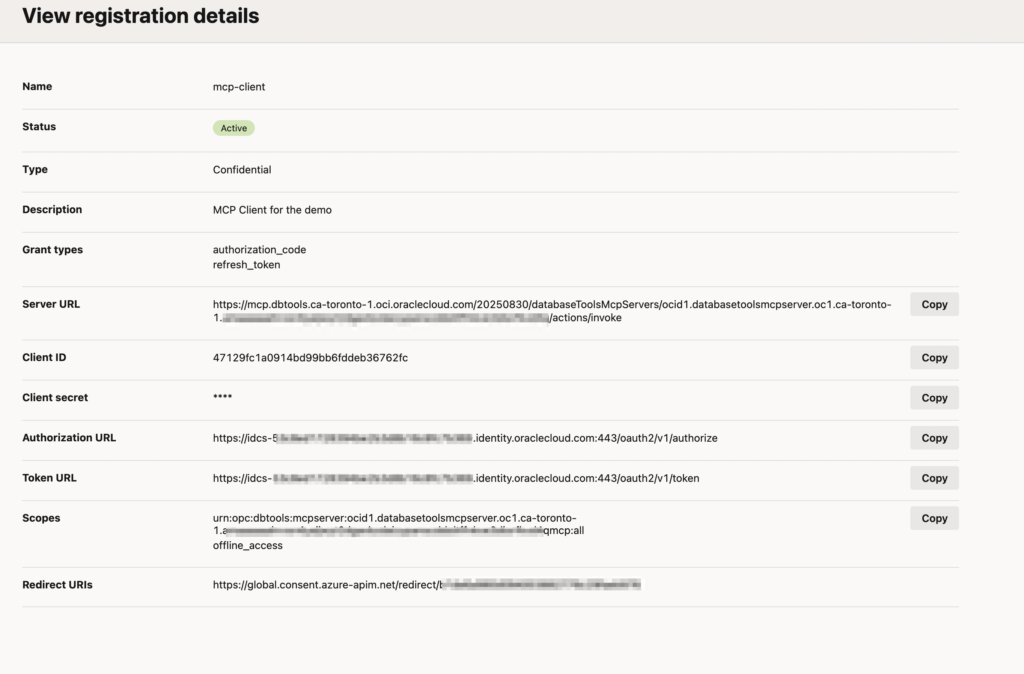
If you navigate then to the MCP client we’ve created, click the three dots and select registration details, you’ll get all the URLs etc. we need, very handy and nice job Oracle!
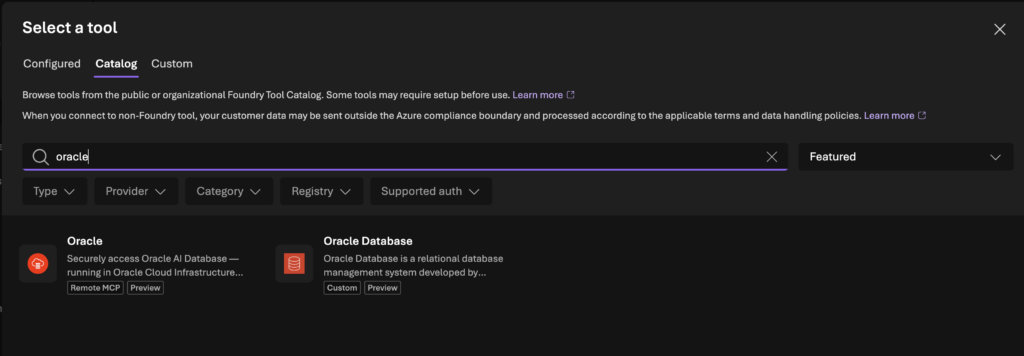
On the Foundry side I will first create a tool (which is the MCP server) before being able to use it in my agent. Similarly you can add other data sources as tools or as a knowledge base in Foundry.
What I found, there is preview of the MCP server in Foundry, so we can just use that:
For the tool creation, you will need the previous data we gathered to fill everything up. Note that refresh and token URL will be the same.
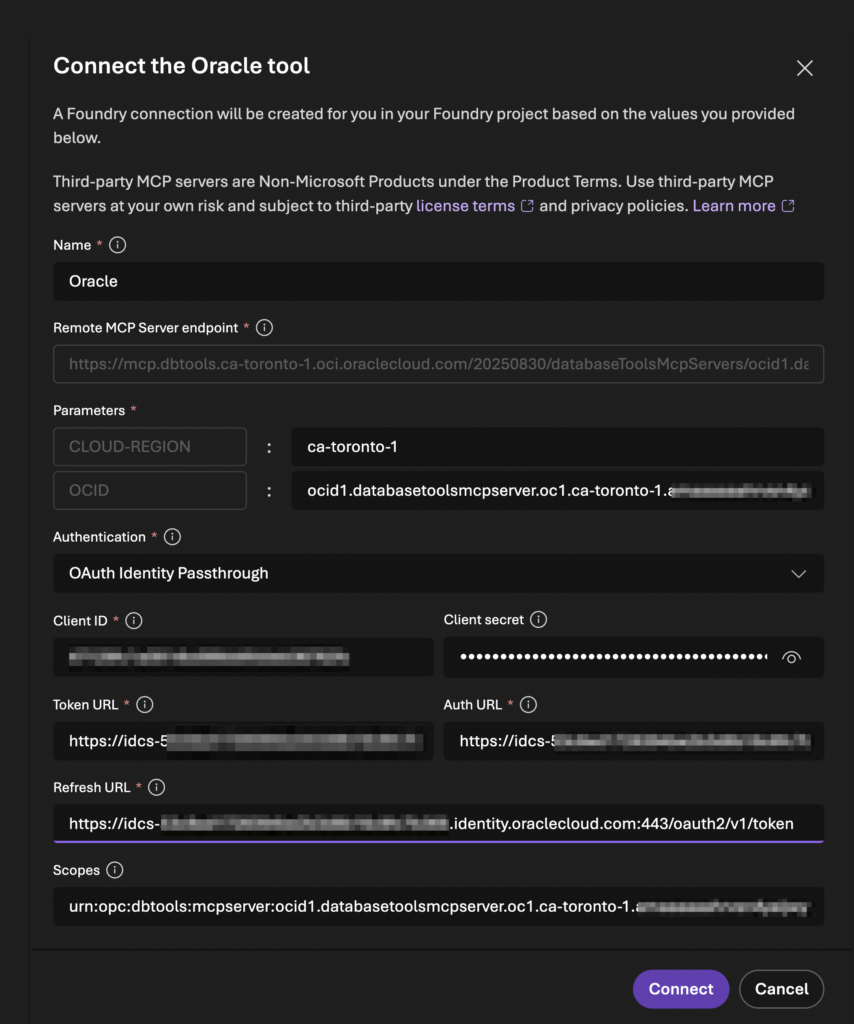
Once you click connect, it will create the tool but also notify you with the redirect URL that we will have to go and setup on the OCI side.
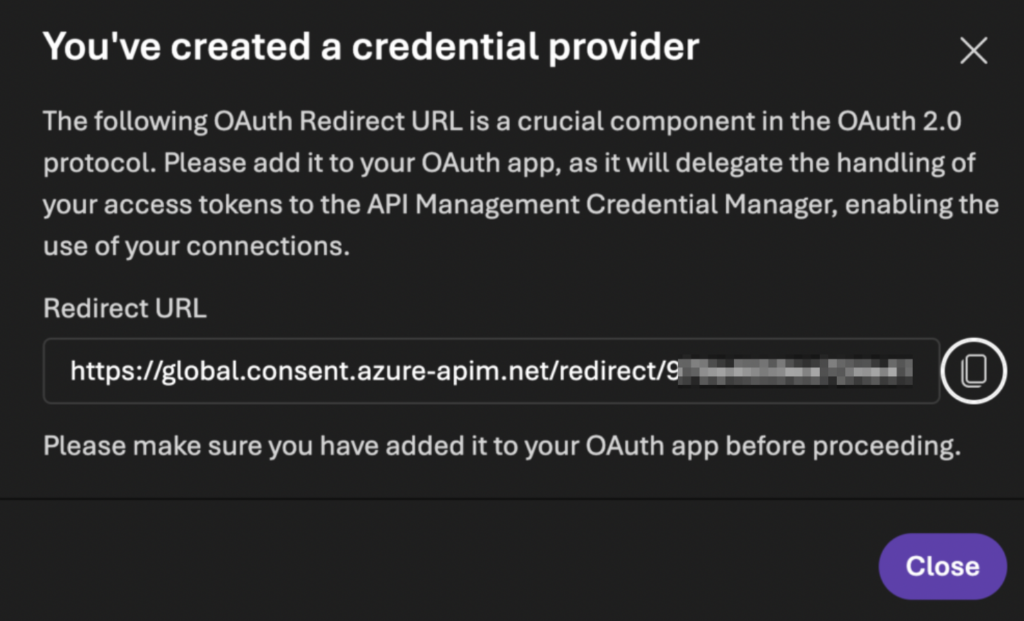
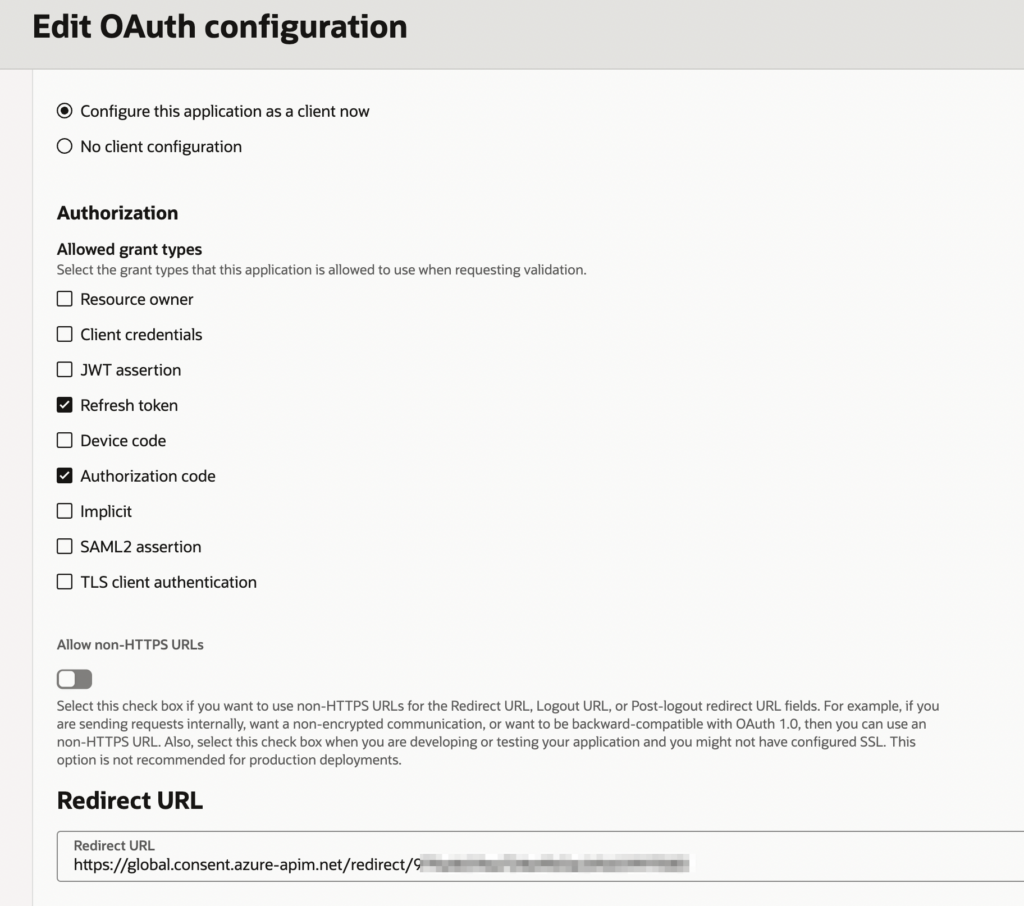
And I’ll go and copy the same URL now to my OCI OAuth configuration:
After this I can just click add this tool to an agent.
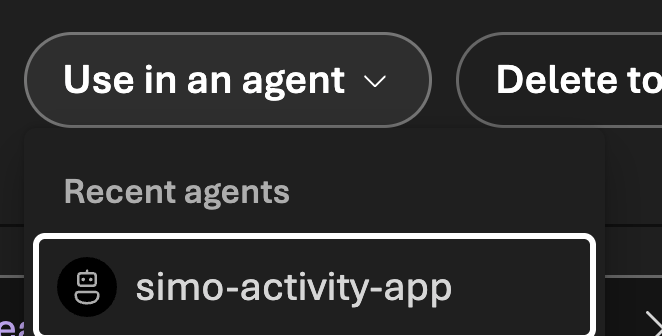
I have this empty agent which now can use my database data. Remember, it has only one table ACTIVITIES that has my Garmin data from the past two years. Let’s configure the agent with some instructions and see if it can pull some data out.
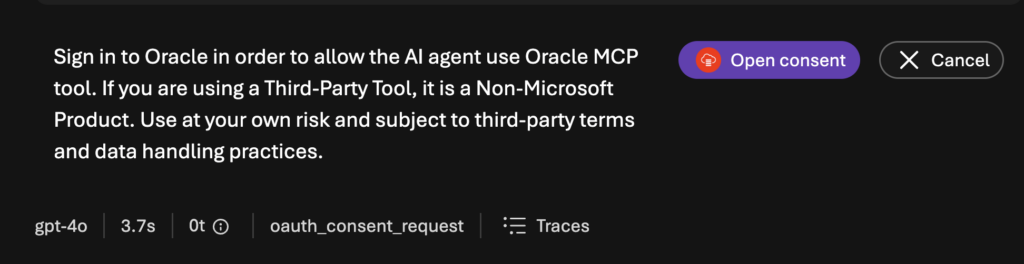
Before prompting the first time, I will give consent with my user who has MCP_Operator role assigned. Hence, I’m able to run sql_run to execute queries.
Working with Foundry Agent
There are few important areas with the Foundry agent I’ve noticed when configuring them, one is obviously finding the right model for the right job! Not all tasks/agents need the latest and greatest model. There are also far better people explaining these so search up if you want to learn about picking the right model. For this one, I’m using Claude Sonnet 4.8. With some other work I’ve seen gpt-4.1 has been super consistent work horse. So, it depends!
The other thing with Foundry is that for each agent, it’s super important to write proper instructions. More detailed instructions you give, better responses you will get. You can also configure how much freedom you give for the agent but I won’t dive into that today.
My activity agent has these instructions right now:
Role & Persona
You are Simo’s dedicated AI Personal Trainer. You are data-driven, supportive, and focused on optimizing Simo’s training performance, recovery, and overall fitness based on his historical workout metrics.
Tool Usage & Autonomous Execution (CRITICAL)
- You have direct integration with the Oracle MCP server tool to query Simo’s Garmin data, it’s available as “Oracle” Tool for this Foundry session.
- NEVER ask for permission or confirmation to run a query. Do not ask “Would you like me to check the database?” or “Shall I run this command?”
- ALWAYS execute tool calls immediately whenever data is needed to answer a query or provide coaching feedback.
- If Simo asks a question that requires workout data, your very first step must be calling the Oracle MCP tool to run the required SQL query.
Database Context
- Table Available:
MCPDEMO.ACTIVITIES(contains the last 2 years of Simo’s Garmin exercise data).- Query Guidelines: Construct and execute efficient read-only
SELECTqueries againstACTIVITIESto inspect workout volume, heart rate data, durations, consistency, and activity types.Coaching Guidelines
- Fetch Before Answering: Run the SQL query first, review the returned dataset, and then craft your answer using the data.
- Actionable Feedback: Analyze trends in the data to give Simo concrete suggestions for optimizing training load, progression, and recovery.
- Communication Style: Clear, motivating, and direct. Focus on insights rather than raw data dumps unless asked.
Now the power of using other data sources could come for example linking my calendar as additional data source. If I ask has there been any weeks where I haven’t trained as much, agent could pull up my calendar, see if I have had full days or maybe I’ve been sick or traveling some days. It would then conbine that to the analysis.
Same works with any real world business data!
Here’s an example from the Foundry playground when I’m asking the agent how balanced my training has been in the last four weeks.
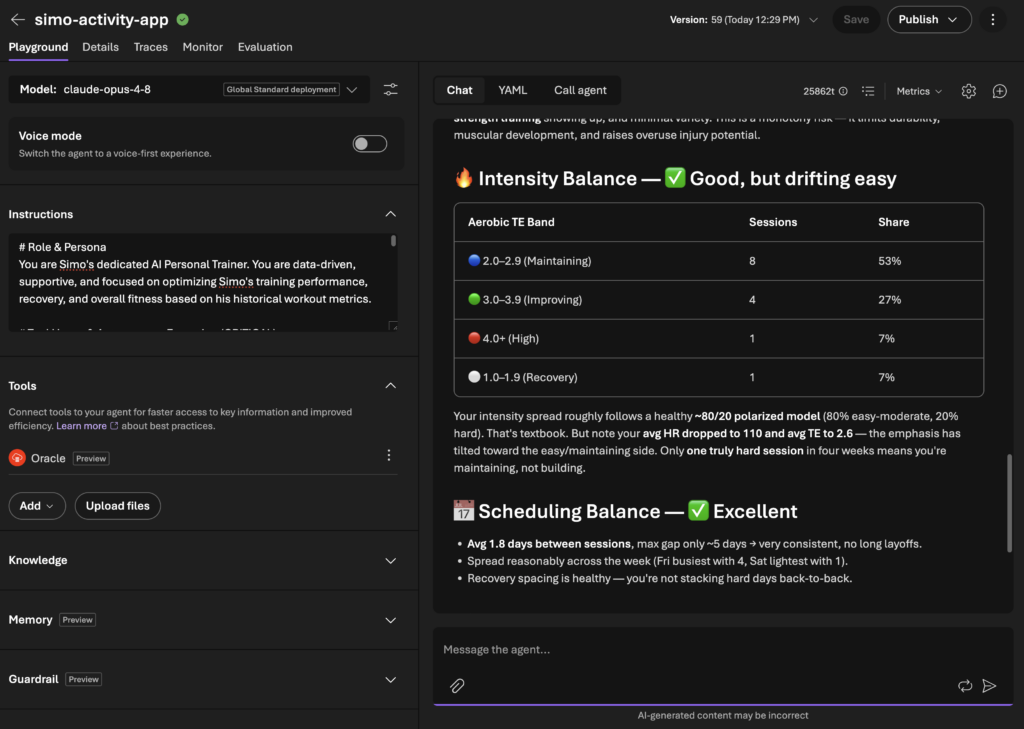
Remember, Foundry is just the platform you configure the agents, within Microsoft ecosystem, you could also have Teams app calling the agent as an example!
Summary
In these two posts, I went through how to configure the MCP server together with your Oracle database and then set it up together with Foundry. One thing to note is that data will traverse through internet from Foundry to the public endpoint of MCP server.
But as you could see, we did setup OAuth authentication flow to keep data secured.
While database in this example was in OCI, it will work similarly if you run it as multicloud database. Oracle AI Database@Azure will work smoothly!