
In the previous part 1 I focused on setting up Fabric Capacity, Data Gateway and connectivity between Fabric and Oracle Database@Azure.
In this post we’ll setup the mirroring between our source which is vision Oracle EBS database and Fabric with the Oracle Mirroring capability. You could also use Golden Gate for same but we’re looking to use native Azure capabilities for this.
This will be our setup:
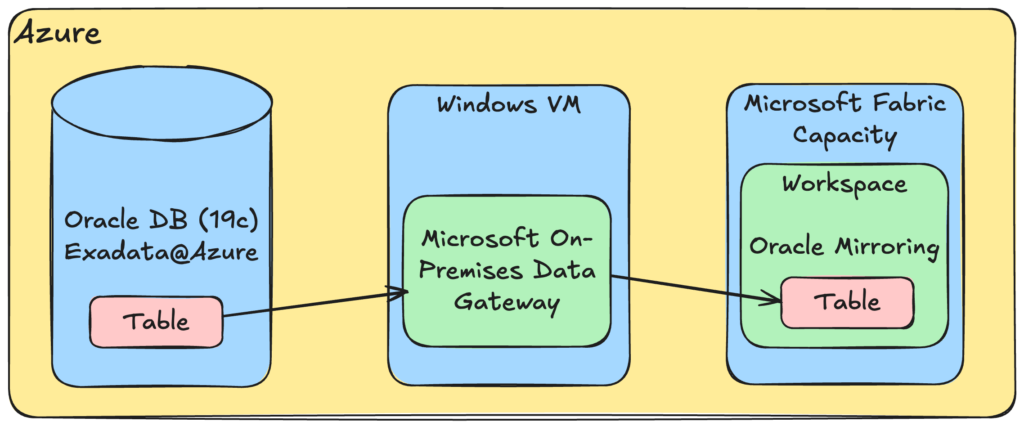
Setup
Most of the work is based off what is said here: https://learn.microsoft.com/en-us/fabric/mirroring/oracle-tutorial
Assuming some basic stuff is already setup like archives are on and there’s archive log destination setup.
I started with creating the Fabric DB user on my EBSDB PDB:
CREATE USER fabric_mirror IDENTIFIED BY "password"
    DEFAULT TABLESPACE TBS1
    TEMPORARY TABLESPACE TEMP;

  -- Microsoft's required grants for Fabric Mirroring for Oracle:
  GRANT CREATE SESSION         TO fabric_mirror;
  GRANT SELECT_CATALOG_ROLE    TO fabric_mirror;
  GRANT CONNECT, RESOURCE      TO fabric_mirror;
  GRANT EXECUTE_CATALOG_ROLE   TO fabric_mirror;
  GRANT FLASHBACK ANY TABLE    TO fabric_mirror;
  GRANT SELECT ANY DICTIONARY  TO fabric_mirror;
  GRANT SELECT ANY TABLE       TO fabric_mirror;
  GRANT LOGMINING              TO fabric_mirror;
After that I did setup supplemental logging on for my database tables.. example for one table:
ALTER DATABASE ADD SUPPLEMENTAL LOG DATA;
ALTER DATABASE ADD SUPPLEMENTAL LOG DATA (PRIMARY KEY, UNIQUE) COLUMNS;
ALTER TABLE gl.gl_je_headers ADD SUPPLEMENTAL LOG DATA (ALL) COLUMNS;
Next step was to enable Logminer
  DBMS_LOGMNR.START_LOGMNR(
    OPTIONS => DBMS_LOGMNR.DICT_FROM_ONLINE_CATALOG
             + DBMS_LOGMNR.CONTINUOUS_MINE);
and as per Microsoft instructions:
If you get any of the following errors –
- ORA-00604: error occurred at recursive SQL level 1\nORA-01289: cannot add duplicate logfile +DBSV6162_ARCHIVE_OBIA/CPOBIACH/ARCHIVELOG/2026_03_03/thread_1_seq_138823.582.1226964749\nORA-06512: at \”SYS.DBMS_LOGMNR\,” line 82\nORA-06512: at line 1\nORA-06512: at line 1\nORA-06512: at \”SYS.DBMS_LOGMNR\,” line 72\nORA-06512: at line 1′
- ORA-65040: operation not allowed from within a pluggable database.
You need to reach out to the Oracle support team or open up a support ticket with Oracle – not Microsoft. Let the Oracle support team know that the Oracle database used for Mirroring needs updates to the latest patch.
I did get that issue since this is PDB – however, if you read documentation the way to start it in 19c and above is to use DBMS_LOGMNR.STARRT_LOGMNR.
  DECLARE
    v_scn  NUMBER;
    v_rows NUMBER;
  BEGIN
    SELECT current_scn INTO v_scn FROM v$database;
    DBMS_LOGMNR.START_LOGMNR(
      STARTSCN => v_scn - 10000,
      ENDSCN   => v_scn,
      OPTIONS  => DBMS_LOGMNR.DICT_FROM_ONLINE_CATALOG);
    SELECT COUNT(*) INTO v_rows FROM v$logmnr_contents WHERE ROWNUM <= 1;
    DBMS_LOGMNR.END_LOGMNR;
  END;
  /
After that all setup was done on the database side.
Enabling Oracle Mirroring
If you remember from the part 1, we already have connection setup – note that the data gateway must be up.
From Fabric admin we validate we still have connection setup, and then we go to our workspace and click New Item. It will open the items and you have to find Mirrored Oracle from there to add it.
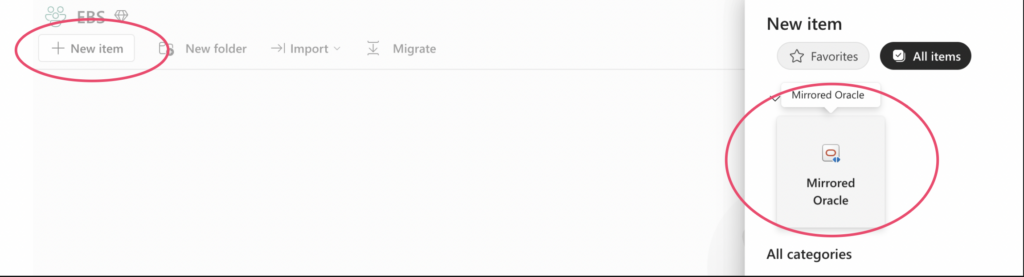
Note when you create the connection and item, use the SAME NAME as your TNSNAMES entry has. I had lot of trouble getting connection created and seems everything had to match.
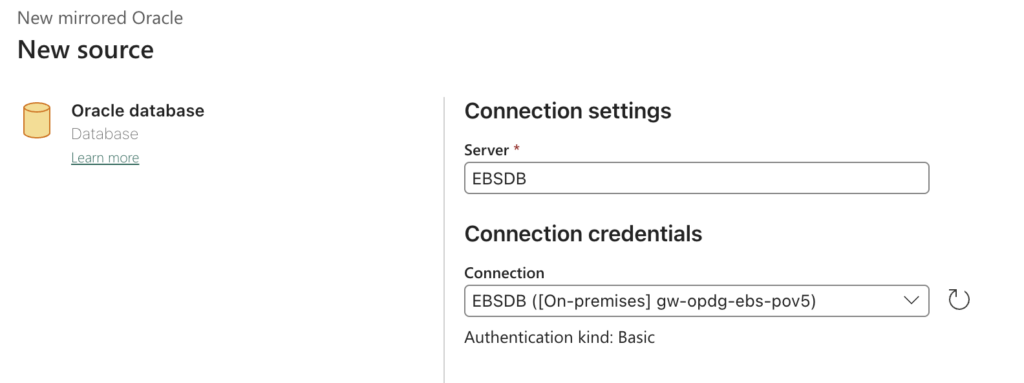
Above you can see it finds the connection with the server name matching.
Next you will choose tables you want to mirror, you can either choose all or only specific tables.. for myself I only picked our example table now. You can also see preview of given table when you select it. Note that this is EBS Vision dummy data only.
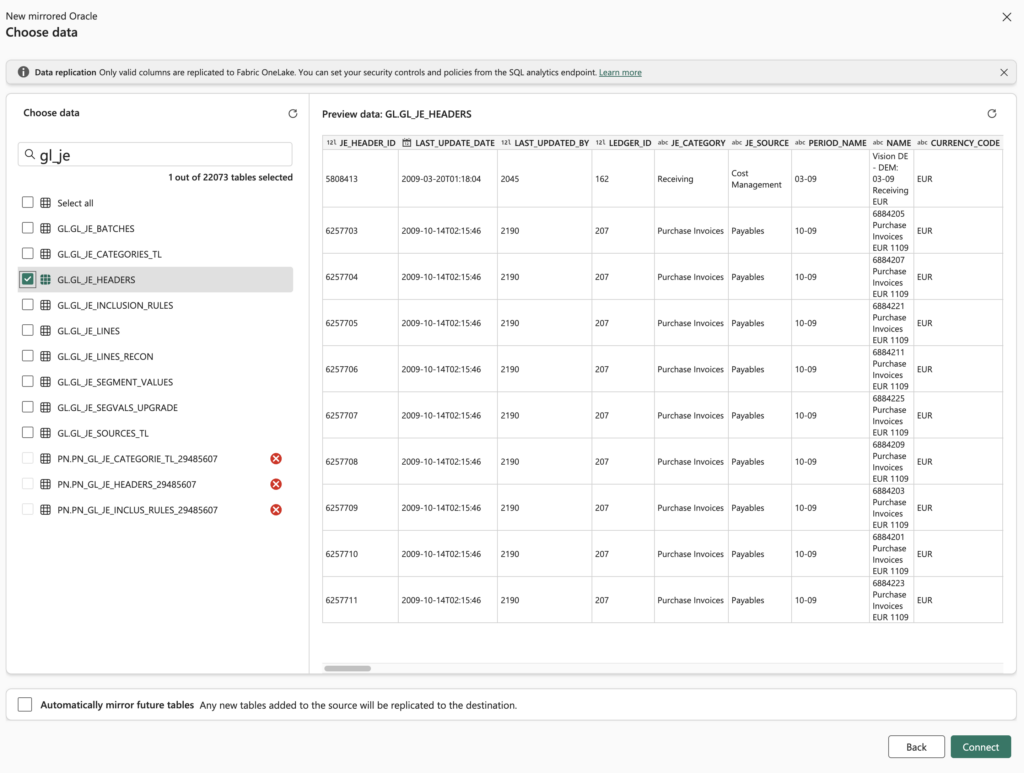
Once I click connect and name the connection, it will start creating the mirrored database to Fabric.
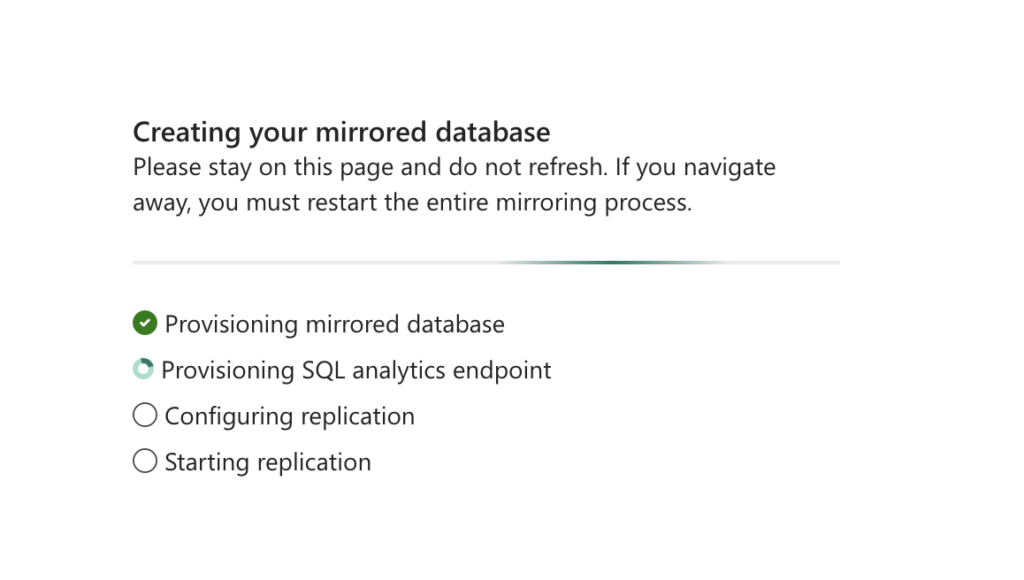
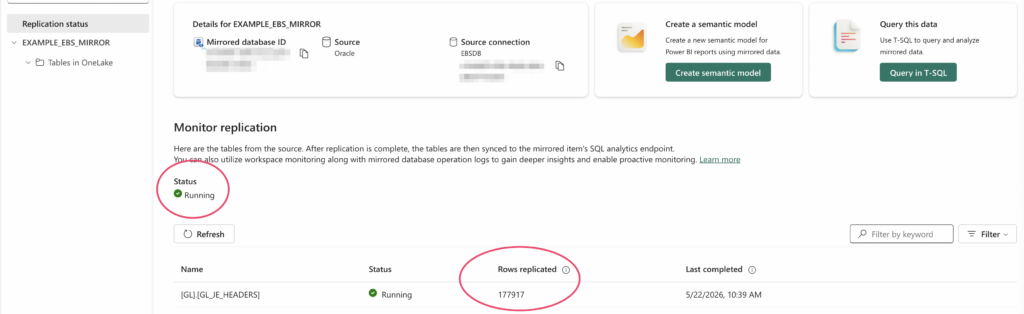
And depending on the size of the table, after a while you should see it/them being replicated successfully.
Summary
In the end the mirroring piece wasn’t too difficult. Most of the challenges I faced with licensing and figuring out how the capacity needs to be setup. The Oracle DB part is quite straightforward.
One thing I’m still not sure is how would I monitor lag and if I have tables with lot of activity, how will the replication keep up. What I mentioned in the first post about setting up everything in same region, will help a lot with latency.